
You can print a card version of your rosters, which many organizations use for player and coach verification.
From the squad definition page, choose Print from the Available Actions dropdown.
From the squad overview page, choose Print from the Other Actions... dropdown.
The Print function is only available on squads (not divisions or programs).
Printing coach badges
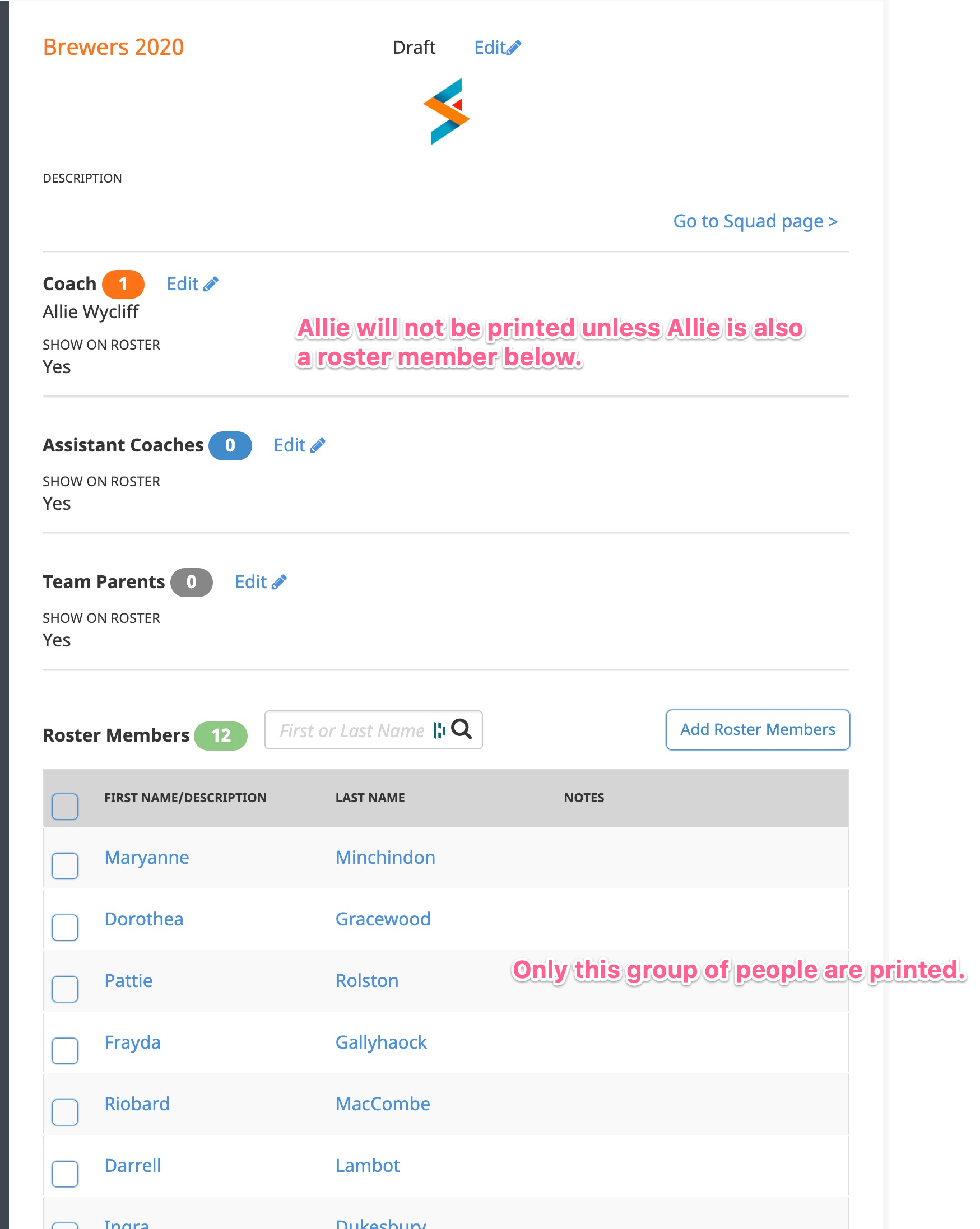
Not everyone on the rosters get printed. Only participant profiles are printed. This means if you have coaches for whom you need to print badges, they will need to be assigned as squad members in addition to being assigned as a coach.
(Users are assigned as coaches because there is system access associated with coaches and other elevated roles. But the Print function reads from participant profiles. You can be a user without being a participant, and you can be a participant without being a coach. Or, you can be both. But for Print, you must be a participant.)
To be a participant, you must go through a registration process. It can be minimal, no more than a name and whatever fields you want to have printed. Simply creating a user account is not enough to have a badge printed.
Prerequisite to printing
Before you can print these out, you must set a Heading for the card. You do that in Processing Options > Roster Settings > Printed roster cards. While there, you can also set up to 3 additional fields to print. Those will print in addition to the regular fields which are:
- Participant name
- Participant picture
- Squad
- Season
- Organization