
You can export various data from your SquadFusion database to CSV files.
Each item you export becomes a row of data in the file. You control the number of items being exported in most cases by setting filters. Every item meeting your filter criteria will be exported, even if you don't see it on the screen. For instance, you might see items 1-50 of 500 on the screen. But all 500 rows will be exported.
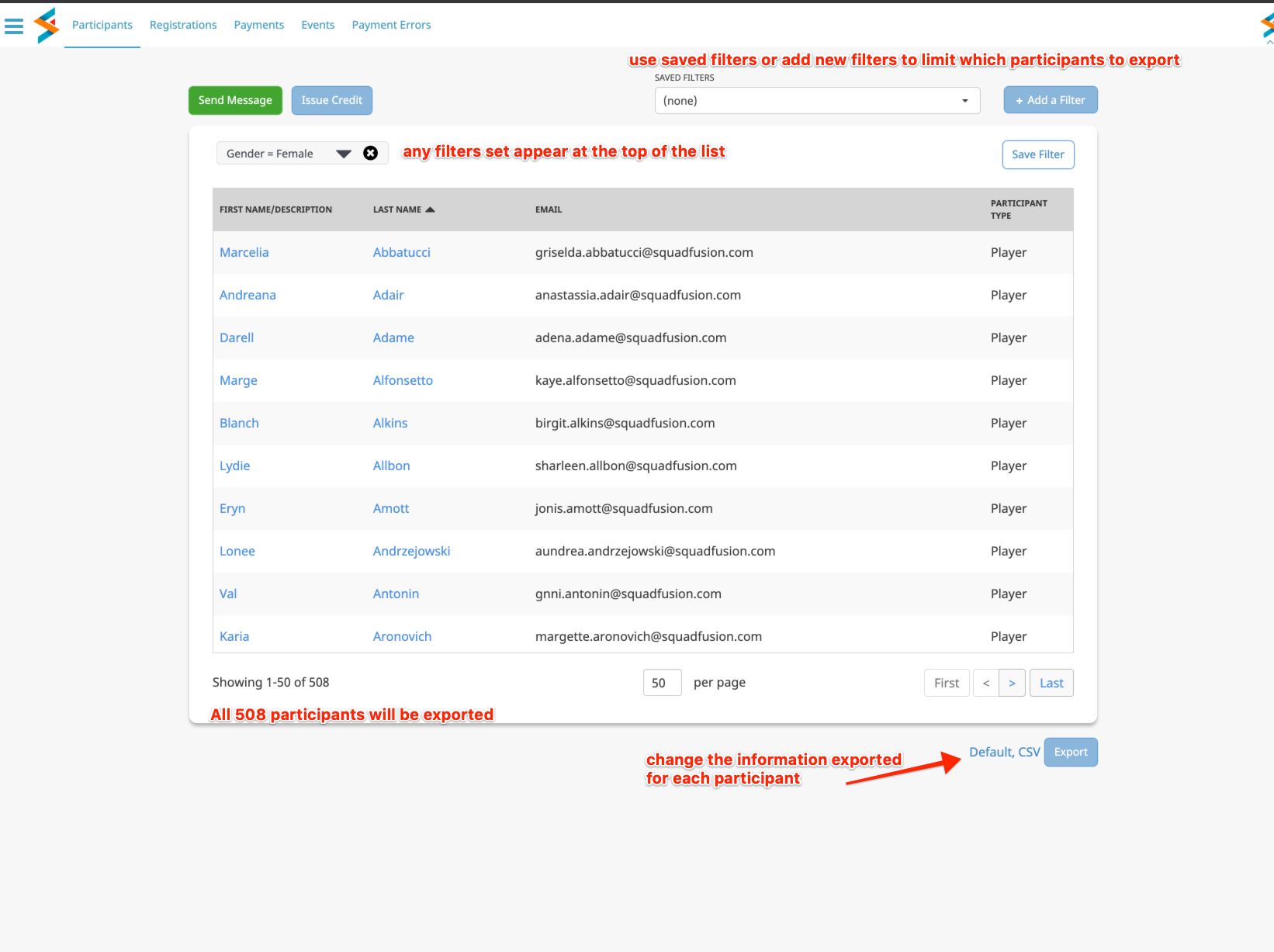
The link next to the Export button shows the Export Definition, which controls the information exported for each item (Participants in the case of the screenshot). You can create your own export definitions in order to have a tailored list of information about each item you wish to export.
For instance, you might have one export definition primarily with contact information and another with primarily skill level and participation information. Some people like to have all information possible in a single export definition they use all the time. Others like to have more specific export definitions they rotate between according to whatever purpose they need to export.
Press the Export Options link to change the export definition or to add a new one.
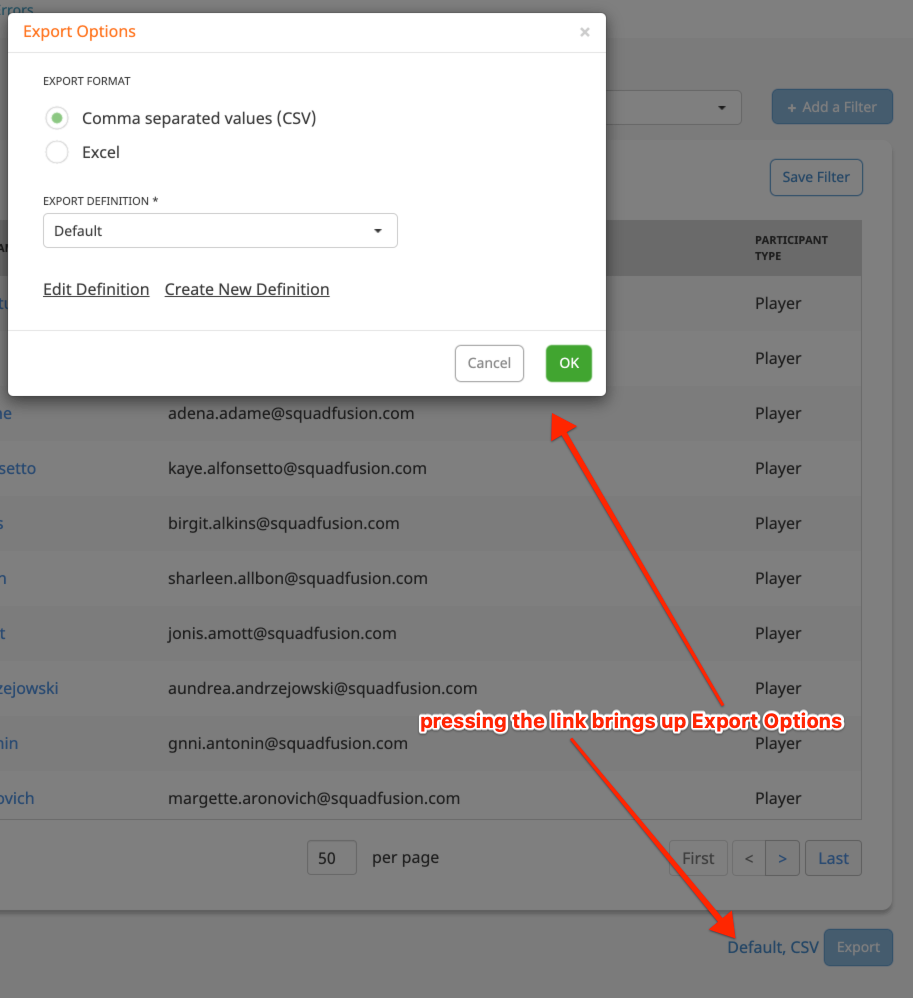
Here you can choose from a list of export definitions to use. There are a few system definitions which cannot be edited, but any customized definition can be edited as you need to change it.
You can also create new export definitions. However, it will probably be more convenient to clone an existing definition and make just small changes to it. To clone a definition, choose Edit Definition from this popup, then press the Clone button at the bottom.
When creating or editing an export definition, you can set some overall behavior as well as enable or disable participant fields.
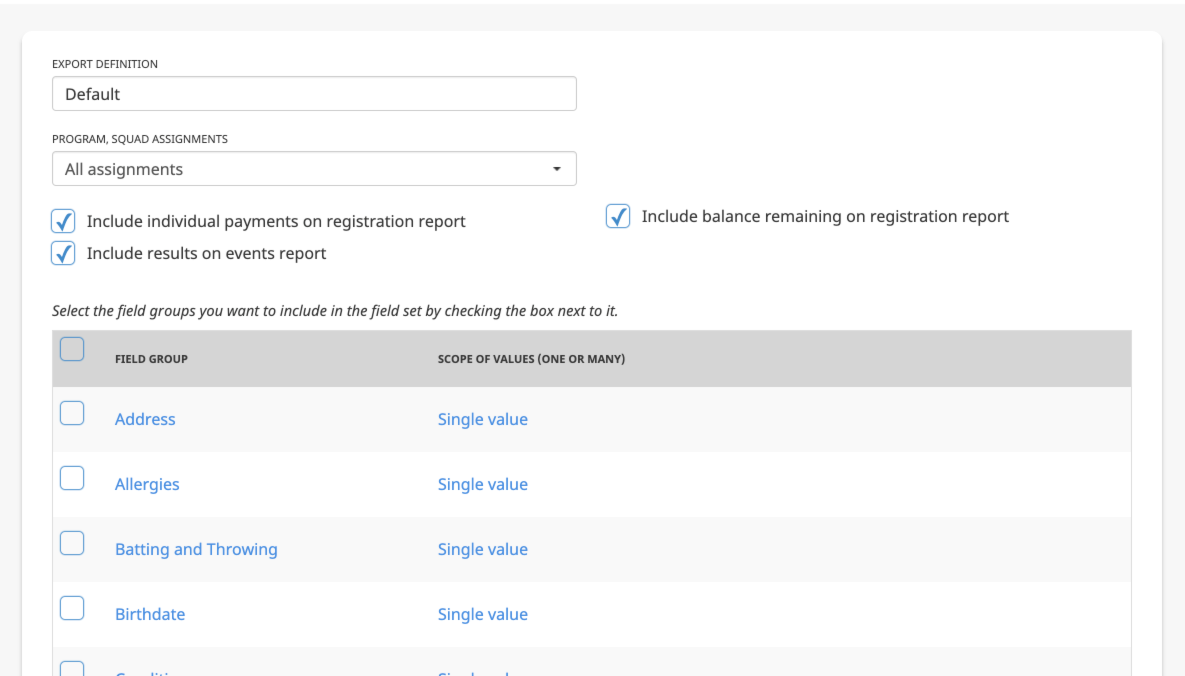
There are some fields on the various exports which you cannot choose to remove. For instance, if you export registrations, certain information such as the registration name and date registered will always be present. The fields you control relate to the participant. Other than Name, all participant fields can be suppressed.
The participant fields include both standard fields as well as custom fields your organization has added.